
Claude Code ships as a capable general-purpose coding assistant. But the teams getting the most out of it aren't using it out of the box — they're building extensions that encode their specific workflows, standards, and tooling into Claude Code itself.
This post covers the full extension stack: skills, MCP servers, hooks, and how to build an internal marketplace so your org can discover and share them.
The Extension Stack
Claude Code has four extensibility layers, each suited to different use cases:
| Layer | What it does | When to use |
|---|---|---|
| Skills | Custom slash commands | Workflow shortcuts, boilerplate generation |
| Hooks | Shell commands on events | Linting, formatting, notifications |
| MCP Servers | Custom tools + resources | External system integrations |
| Settings | Behaviour configuration | Permissions, model, env vars |
Building a Skill
Skills live in .claude/commands/. Each file is a markdown template that becomes a /skill-name command.
# .claude/commands/pr-description.md

Generate a pull request description for the current branch.

Rules:
- Lead with the "why", not the "what"
- Reference the ticket number from the branch name if present
- Include a testing checklist
- Keep it under 400 words

Current branch: !`git branch --show-current`
Recent commits: !`git log --oneline -10`
Diff summary: !`git diff main --stat`
Now /pr-description runs this template with live git context injected. Every engineer on your team gets consistent, well-structured PR descriptions in seconds.
Building an MCP Server
MCP servers expose custom tools and resources to Claude Code via a standard protocol. A tool is a function Claude can call; a resource is data Claude can read.
// mcp-servers/internal-docs/index.ts
import { Server } from "@modelcontextprotocol/sdk/server/index.js"

const server = new Server({ name: "internal-docs", version: "1.0.0" })

server.setRequestHandler(ListToolsRequestSchema, async () => ({
  tools: [{
    name: "search_runbook",
    description: "Search internal runbooks and SOPs",
    inputSchema: {
      type: "object",
      properties: {
        query: { type: "string", description: "Search query" }
      },
      required: ["query"]
    }
  }]
}))

server.setRequestHandler(CallToolRequestSchema, async (request) => {
  const { query } = request.params.arguments as { query: string }
  const results = await searchConfluence(query)
  return { content: [{ type: "text", text: JSON.stringify(results) }] }
})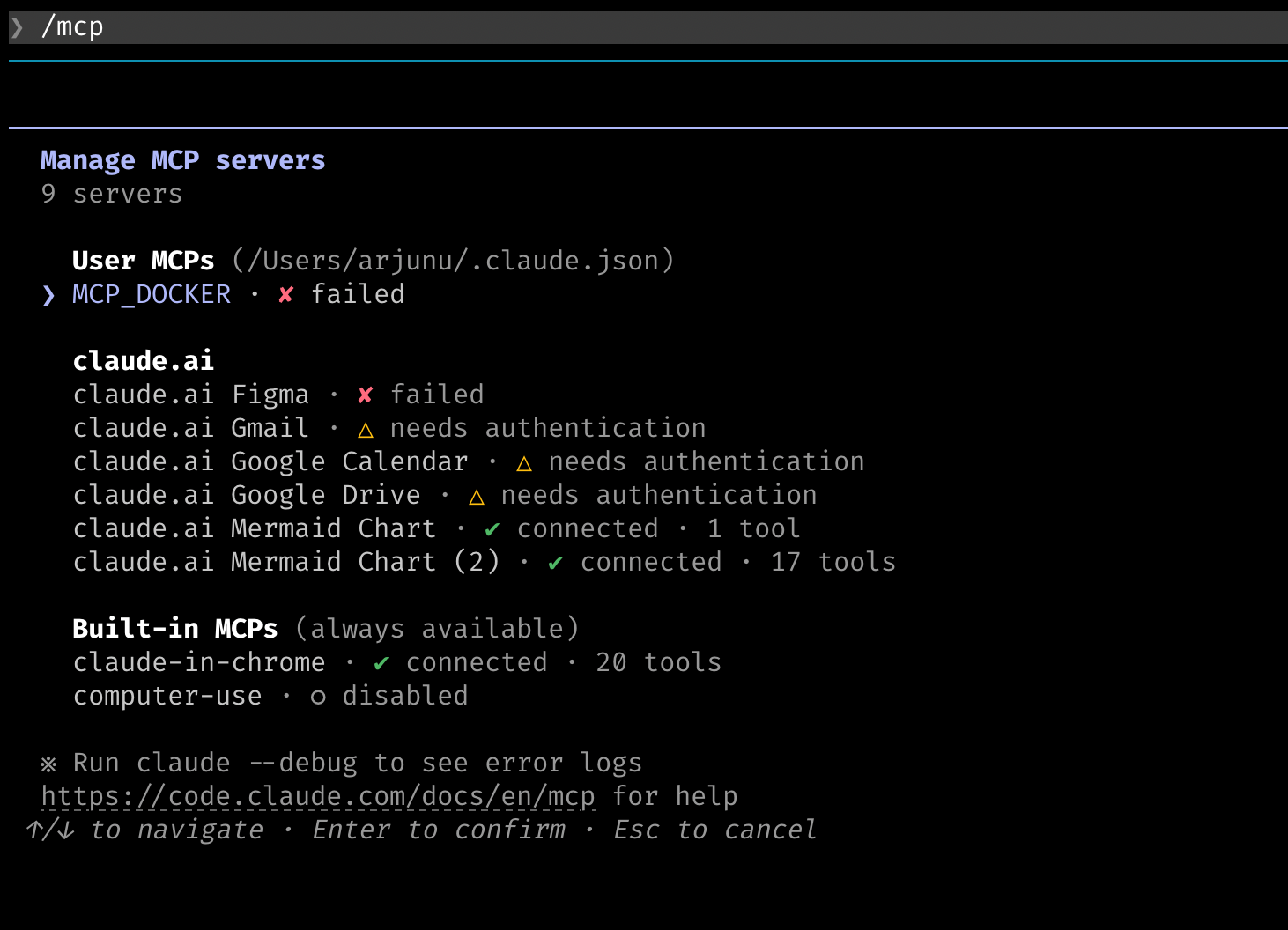
Register it in .claude/settings.json:
{
  "mcpServers": {
    "internal-docs": {
      "command": "node",
      "args": ["mcp-servers/internal-docs/index.js"]
    }
  }
}
Now Claude Code can search your internal runbooks mid-conversation.
Hooks for Automated Quality Gates
Hooks run shell commands at defined lifecycle points. The most powerful use case: automated quality gates that run on every response.
{
  "hooks": {
    "PostToolUse": [{
      "matcher": "Write|Edit",
      "hooks": [{
        "type": "command",
        "command": "bun run typecheck --noEmit 2>&1 | head -20"
      }]
    }]
  }
}
Every time Claude writes or edits a file, TypeScript runs automatically. Claude sees the output and self-corrects type errors — no manual type-check loop required.
Building an Internal Marketplace
Once you have 10+ extensions, discovery becomes the bottleneck. An internal marketplace solves this.
The simplest viable version: a shared git repo with a registry.json manifest and a CLI install command.
// registry.json
{
  "extensions": [
    {
      "name": "pr-description",
      "type": "skill",
      "description": "Generate standardised PR descriptions from git context",
      "author": "platform-team",
      "version": "1.2.0",
      "install": "cp skills/pr-description.md .claude/commands/"
    },
    {
      "name": "internal-docs",
      "type": "mcp-server",
      "description": "Search Confluence runbooks and SOPs from Claude Code",
      "author": "devex-team",
      "version": "2.0.1",
      "install": "scripts/install-internal-docs.sh"
    }
  ]
}
A one-line install script pulls and registers the extension. Teams browse the registry, install what they need, and contribute back their own extensions.
What to Build First
If you're starting from scratch, this is the order that delivers the most value fastest:
- PR description skill — immediate, daily use, easy to build
- TypeScript hook — eliminates the most common review feedback loop
- Internal docs MCP — turns tribal knowledge into Claude-accessible context
- Linting / formatting hooks — enforce standards automatically
- Deployment skill — standardise your release process
Each extension compounds. An engineer with 10 well-built extensions is significantly more productive than one using Claude Code out of the box.